Navigating App Marketplace
The AnchorAutomate App Marketplace provides a comprehensive collection of pre-built app integrations that extend your agent's capabilities. From popular business tools to specialized services, the marketplace makes it easy to connect your agents with the applications you use every day.
Overview
The App Marketplace offers:
- Pre-Built Integrations: Ready-to-use connections to popular business applications
- Verified Apps: Tested and validated integrations for reliability
- Easy Discovery: Search and browse apps by category, popularity, or functionality
- Quick Setup: Streamlined configuration process for fast deployment
- Regular Updates: New apps and features added regularly
Accessing the App Marketplace
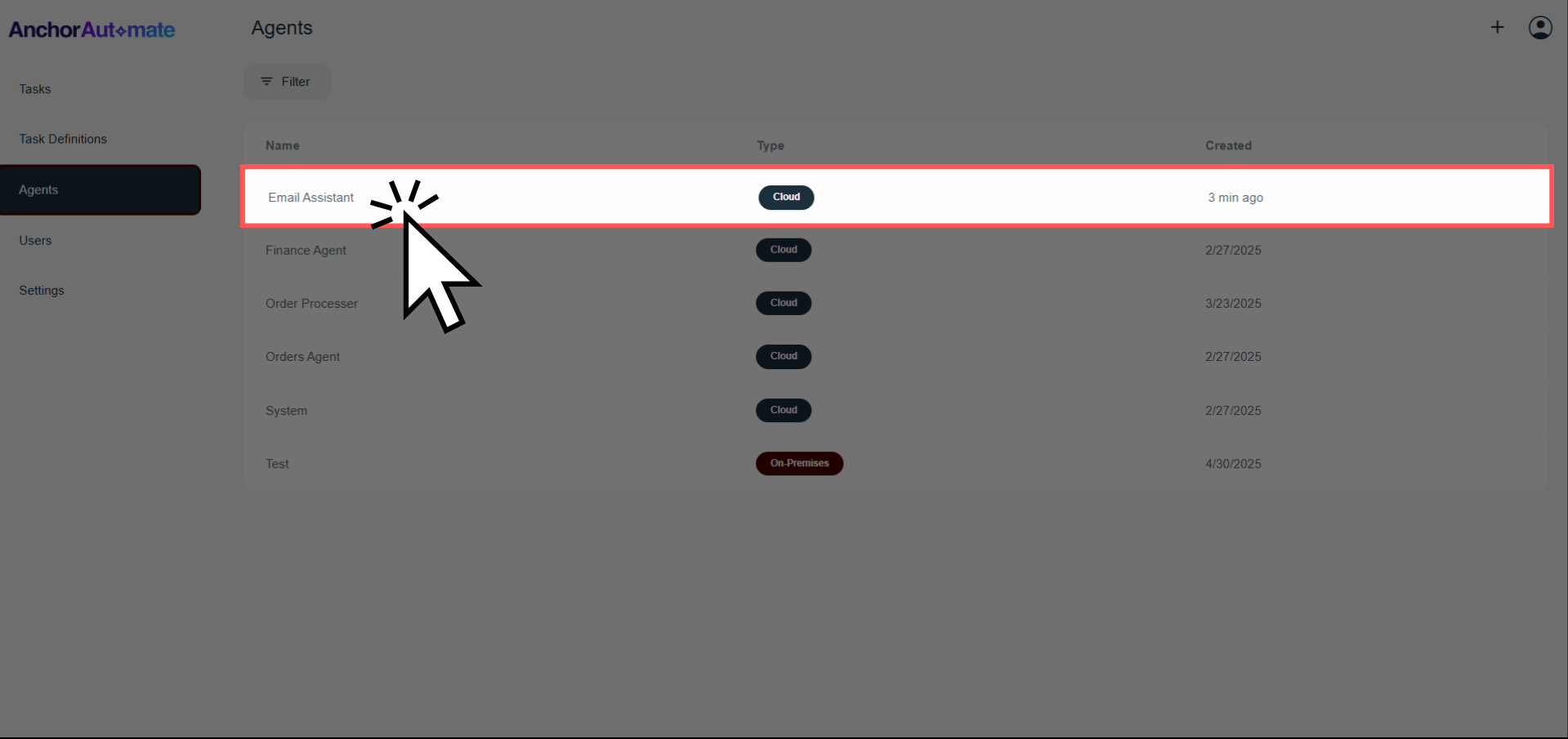
Step 1: Navigate to Your Agent
Choose the agent you want to add apps to
Step 2: Access the Marketplace
-
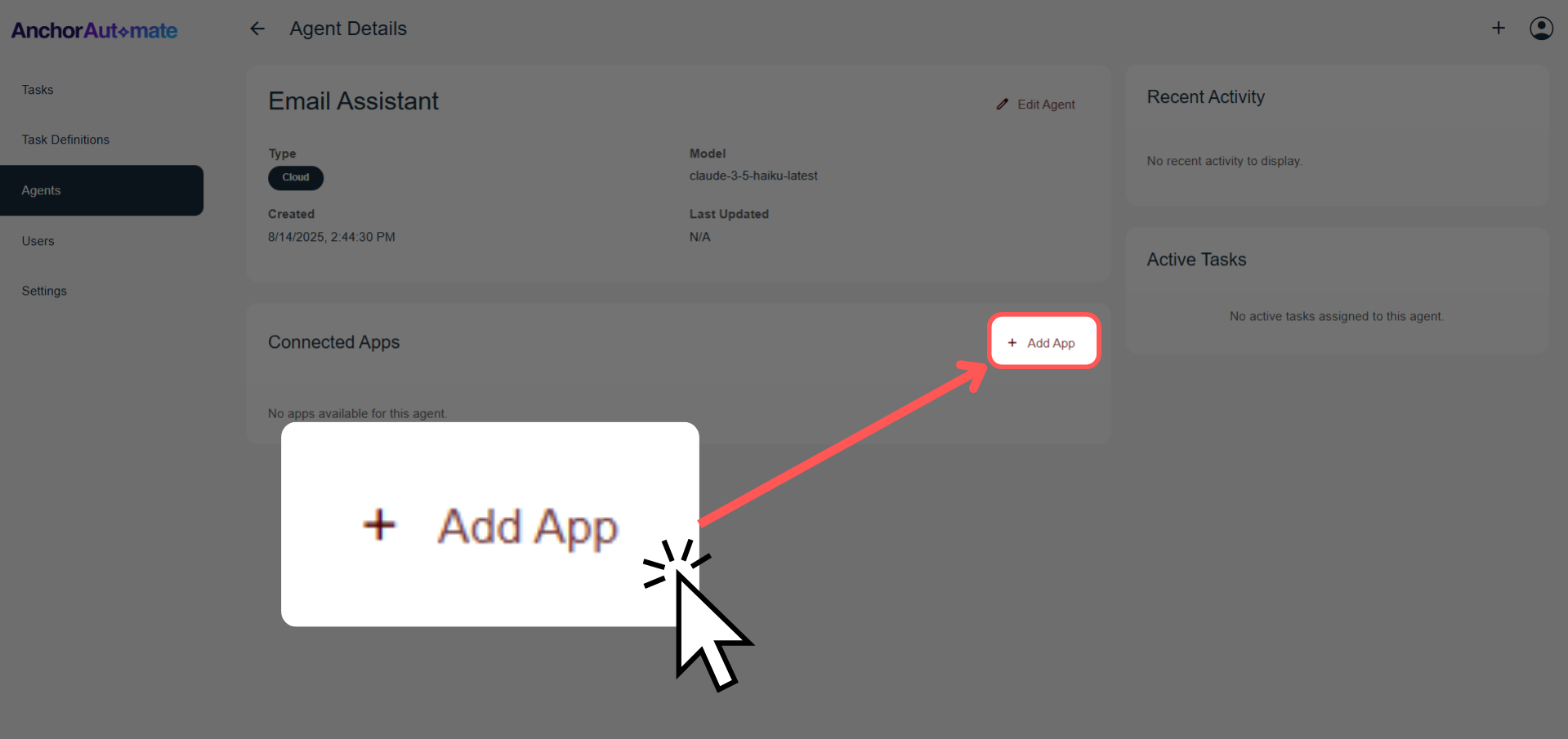
Find the "Add App" Button: Look for the "Add App" button in your agent's interface.
-
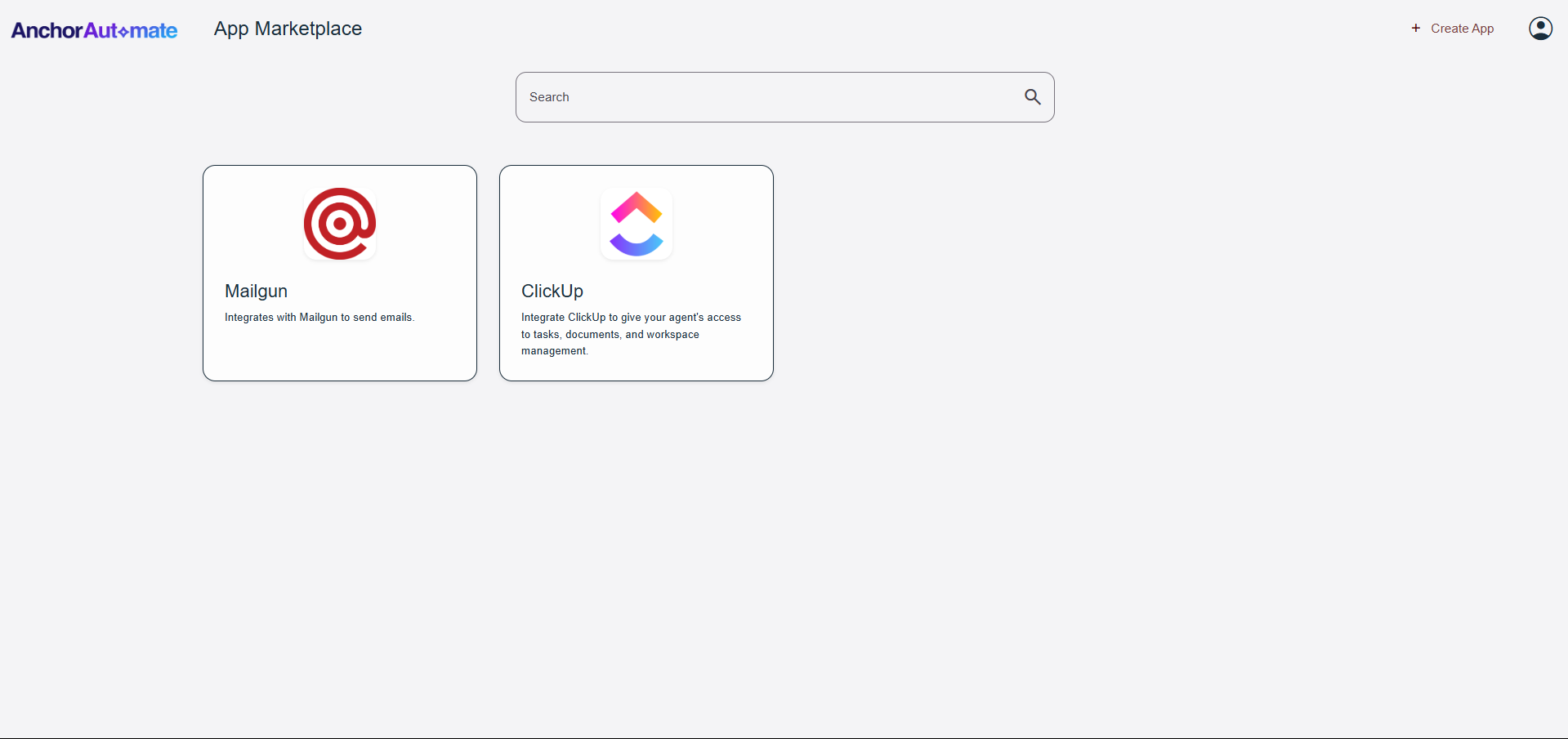
Click "Add App": This opens the App Marketplace browser
-
Browse Available Apps: You'll see the full marketplace catalog
Next Steps
After exploring the marketplace:
- Learn how to set up and configure apps
- Understand multiple app instances
- Explore app control features
- Create custom app integrations
